Stope Reconciliation Blasting
Purpose
Allocation of blasting information to a stope design. This includes design drill strings and information from the blast database.
Steps
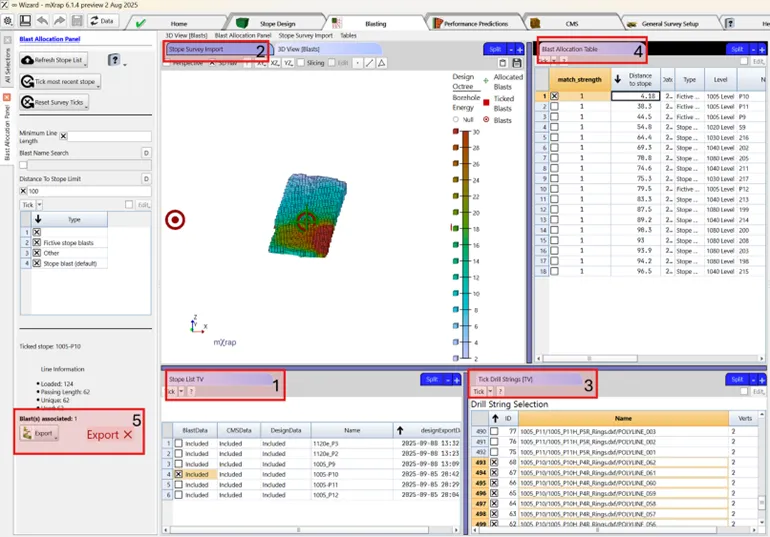
- Select the Stope - Choose the stope for which blasting data will be associated.
- Import Data - Reads the directory folder holding the required surveys (if needed, this folder is the same as the design import).
- Select the Drill Rings - Select the drill rings associated with the stope.
- Select the Blast - Select the associated blasts linked to the stope and drill rings.
- Export the Blasting Data
tip
Tick most recent stope will select the design for the stope which was last processed.
tip
Order blasts by Distance to stope to quickly find the ones associated to your stope.
precaución
Make sure the export is complete before moving to another window.
Best practice
Keep blast naming conventions consistent across databases.
Video
Explains the Blasting window layout and tools in the stope reconciliation Wizard App.