Importing Reports
Data Import
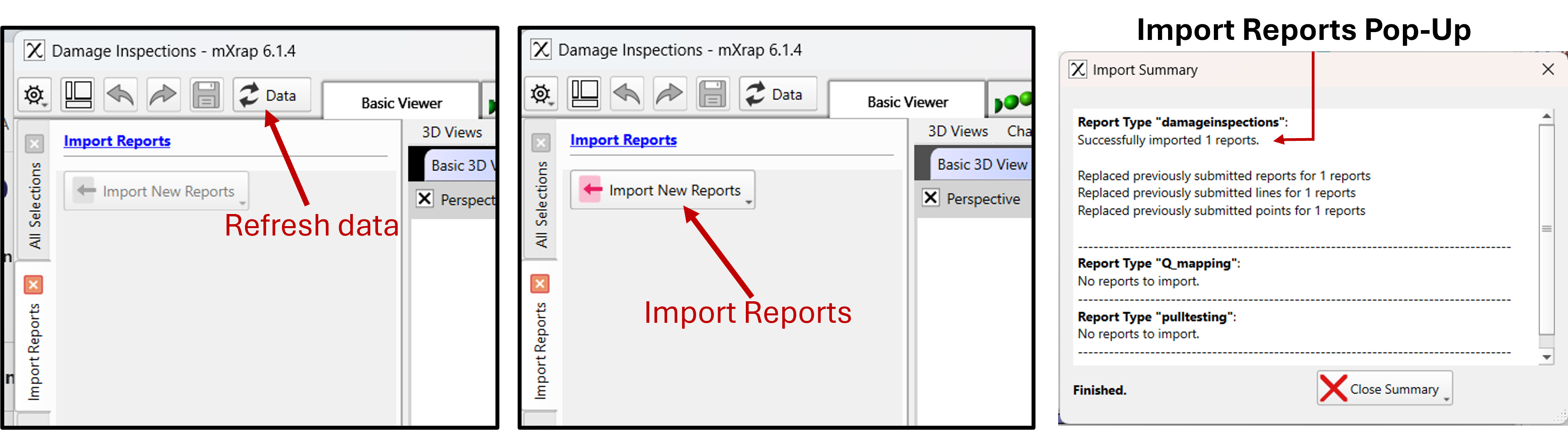
All Inspection apps have a One-Click data import into mXrap that imports all the data across all your webform apps in one-click.
Once the button is pressed and reports imported, an import summary will pop-up.
precaución
Any errors during import will also be printed in the import summary pop-up. If an unusual message appears here, please check our Troubleshooting page on how to handle it.
nota
If the app is open when the server receives report(s), a data refresh is necessary to get the latest submissions and enable the import data button.