Reset Password
How to reset the Write-Access Password
This MUST be done on the server computer directly.
-
Log in or Remote into the Network Server (ie via MS Remote Desktop or other)
-
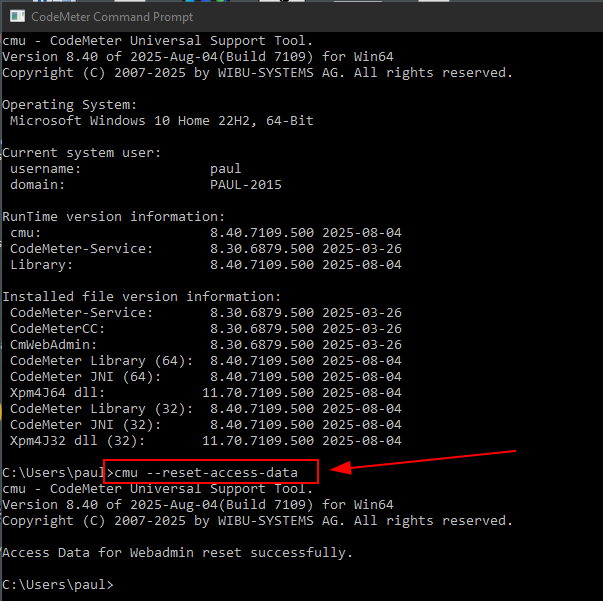
Open the "CodeMeter Command Prompt"
-
There are two options:
- A: clear the password
- B: set a new password
Option A: Clear the password
This will reset access back to "local only", any further configuration must be done directly on the server
- Run
cmu --reset-access-data - Use the WebAdmin page to set the password, see these instructions
Option B: Set a new password
- Run
cmu --set-access-data --password "YOUR-NEW-PASSWORD"