Setup Write Access
How to set up the Server Write Access
The server needs to be set up to allow users to have write access. This must be done on the server computer, and will set a single password to be shared between ALL users.
-
Log in or Remote into the Network Server (ie via MS Remote Desktop or other)
-
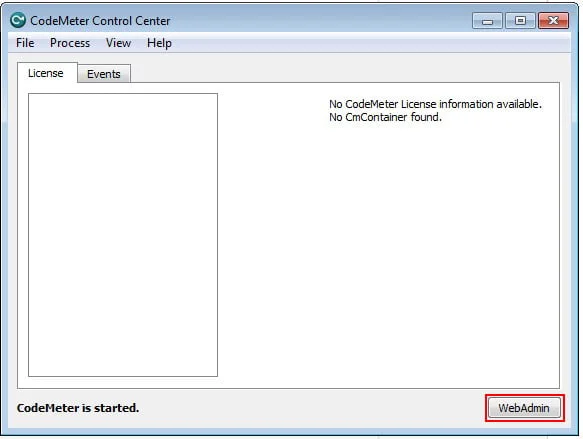
Open the CodeMeter Control Center from the system tray,
or run "Codemeter Control Center" via the Start Menu
-
Click the WebAdmin button
-
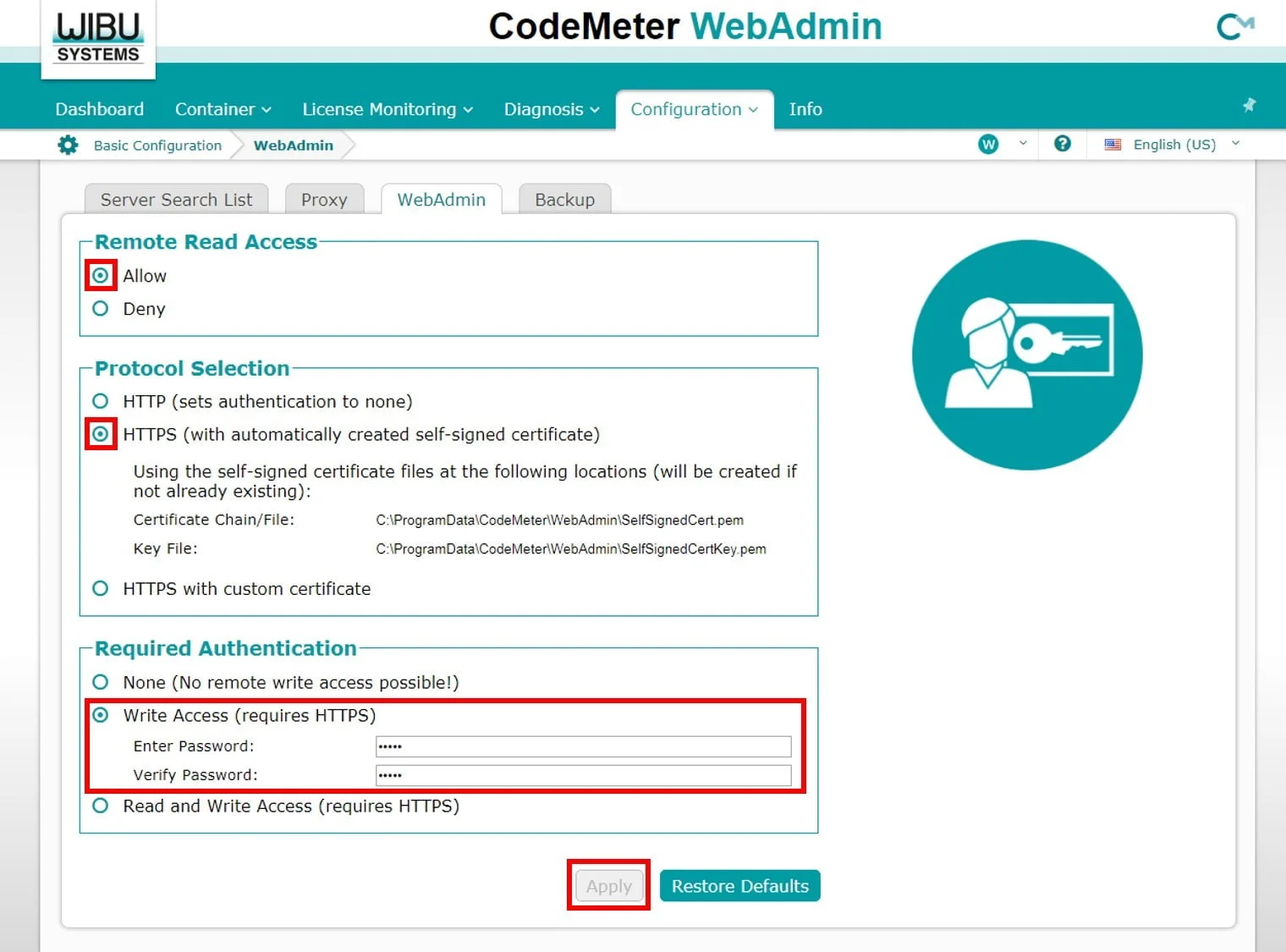
In the top bar, go to Configuration --> Basic --> WebAdmin.
- Click "Allow"
- Enable HTTPS (this is required for Write Access to work)
Note that you can provide a certificate, or use the built-in self-signed certificate - Click "Write Access" and enter a password (we suggest a password that is easy to remember)
- Note: We typically do not see the need to require a password for "Read access"
- Press Apply.
-
Site users and admins often forget the Write Access password, so consider emailing with the password for our records, so we can help support your users.
We have forgotten the Password
Click here to see our instructions on resetting the Password