Required Design
Purpose
Configure the required survey for stope design.
Steps
-
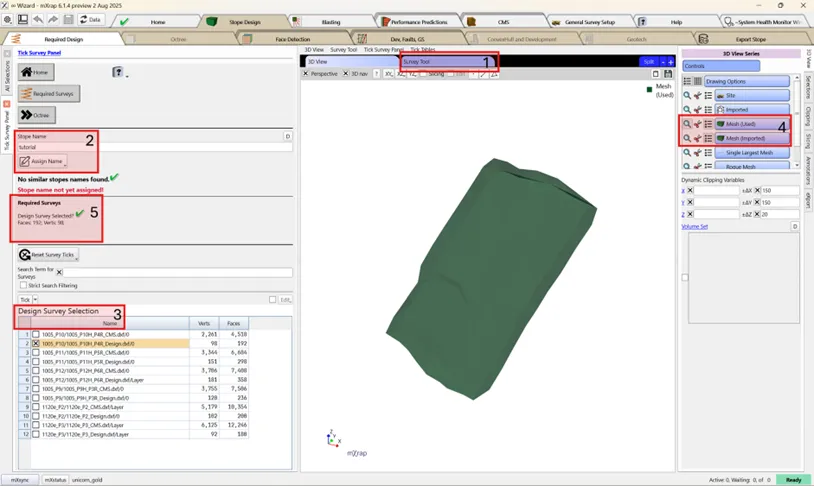
Survey Tool - Import required surveys. Decimation may be needed.
-
Assign Stope Name - Enter unique stope name.
-
Tick Design Surface - Checked surfaces removed from other lists; check that the number of vertices isn't too high.
-
Check Design Surface - Review in 3D Viewer (green series).
-
Surface Errors - Check for any errors in the panel. Inbuilt remeshing may resolve non-manifold surfaces.
precaución
Surfaces must be closed (water-tight) and free from self-intersections.
Best practice
Surveys should have as few vertices as required to avoid excessive computation time.