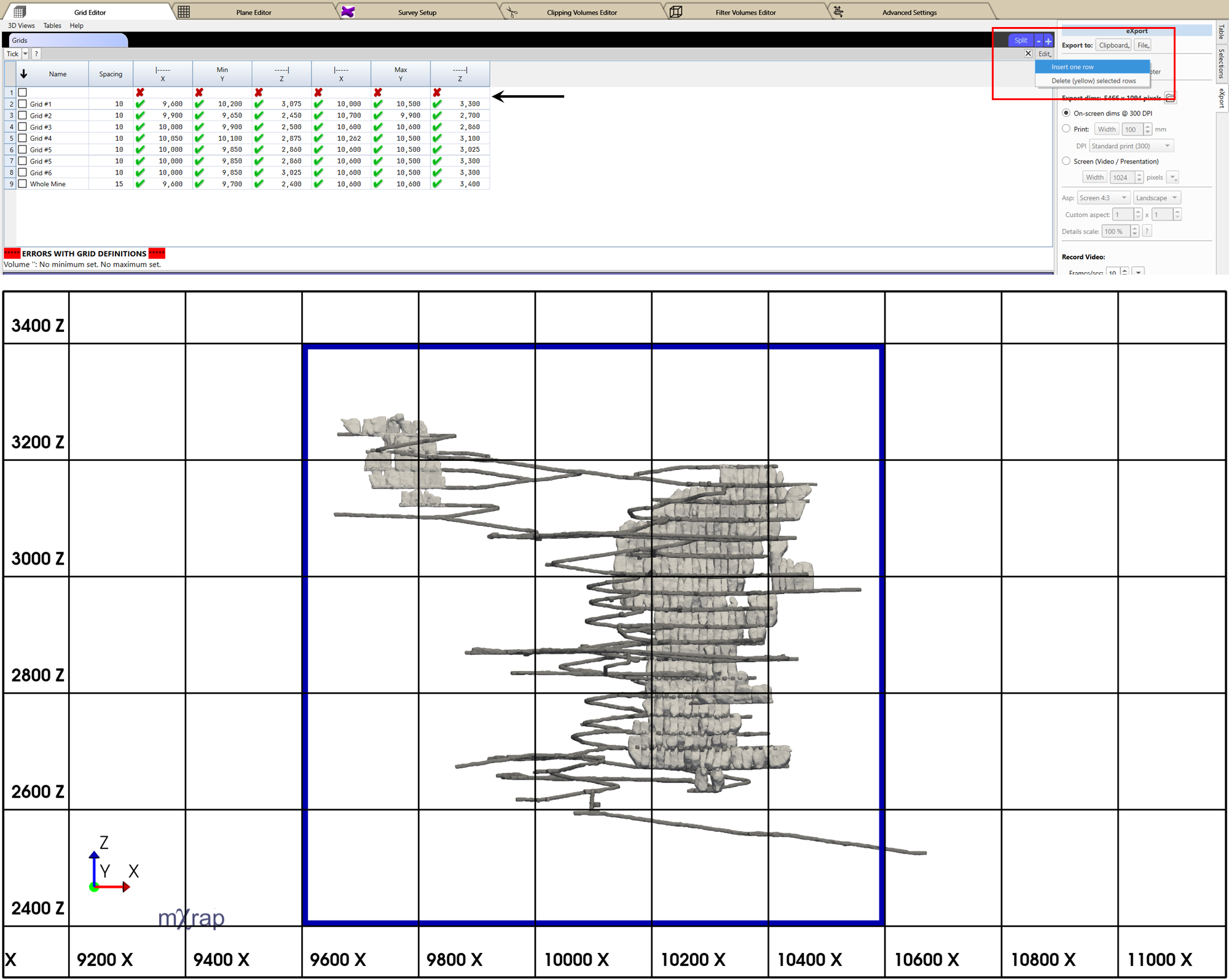
Grid Definition
A grid defines the three-dimensional analysis volume surrounding the area of interest. The grid is discretized into regularly spaced cells, onto which seismic parameters are interpolated based on the active analysis controls.
Grid Characteristics
- Axis-aligned cartesian grid
- Uniform spacing in X, Y, and Z directions
- Defined to fully enclose the spatial extent of the analysis
- Used for volumetric interpolation and visualization
The grid is discretized according to the specified spacing, and analysis results are interpolated onto the grids.
Creating or Editing a Grid
- Navigate to:
General Setup Windows → Grid Editor - Use the Grids Table to add new grid definitions or modify existing ones.
- Enable editing by ticking the check box next to the Edit button in the top-right corner of the table.
- For adding a new grid, click and hold the Edit button, then select Insert One Row.
- Enter or update the required grid parameters - extents and spacing.
- Use the 3D View to verify that the grid adequately covers the required area of interest.
consejo
Use axis aligned views in the General Setup Window → Grid Editor → 3D view with perspective turned off and grids turned on to visually determine the minimum and maximum coordinates.