Batch Build Regions
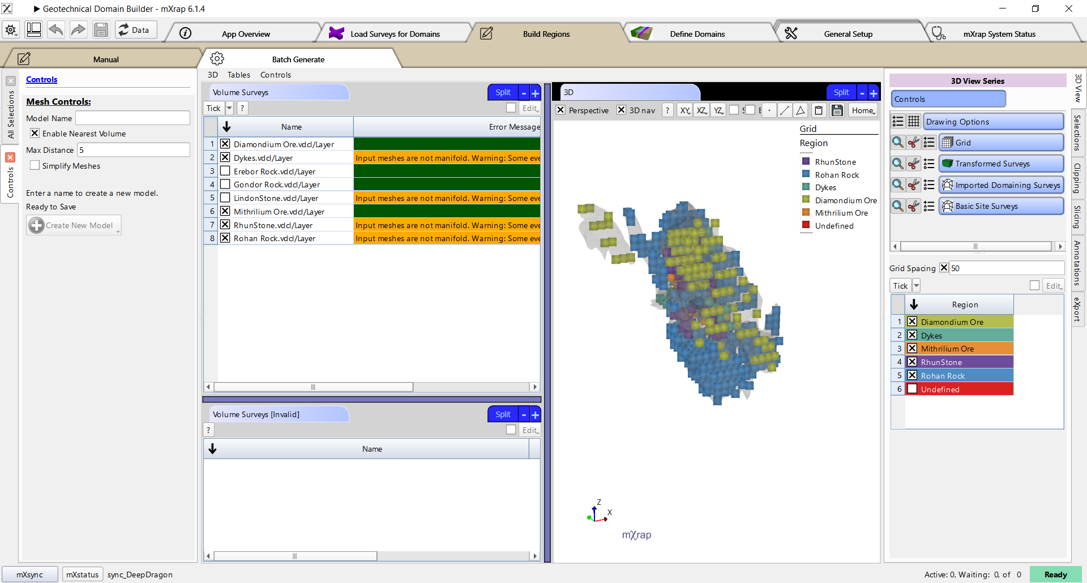
With batch generate you can quickly create a model using several volume surveys.
Best practice
This can be especially useful if you already have volume surveys that divide your mine space into lithologies or geotechnical domains.
- Tick on all of the volumes that you want to use, and you will see a live update of the grid.
tip
You can specify a priority for each volume (in the column to the right of the error messages). If a spatial area is covered by multiple volumes, it will be assigned to the volume with the highest priority.
- When you are finished, click create new model.
nota
If you want to further subdivide part of this model, e.g. with a HW/FW filter, you can open it in the Manual window and continue to edit it from there.