3- Define Domains
-
Go to the Define Domains window.
-
Tick your saved model, and then click the Load Model button.
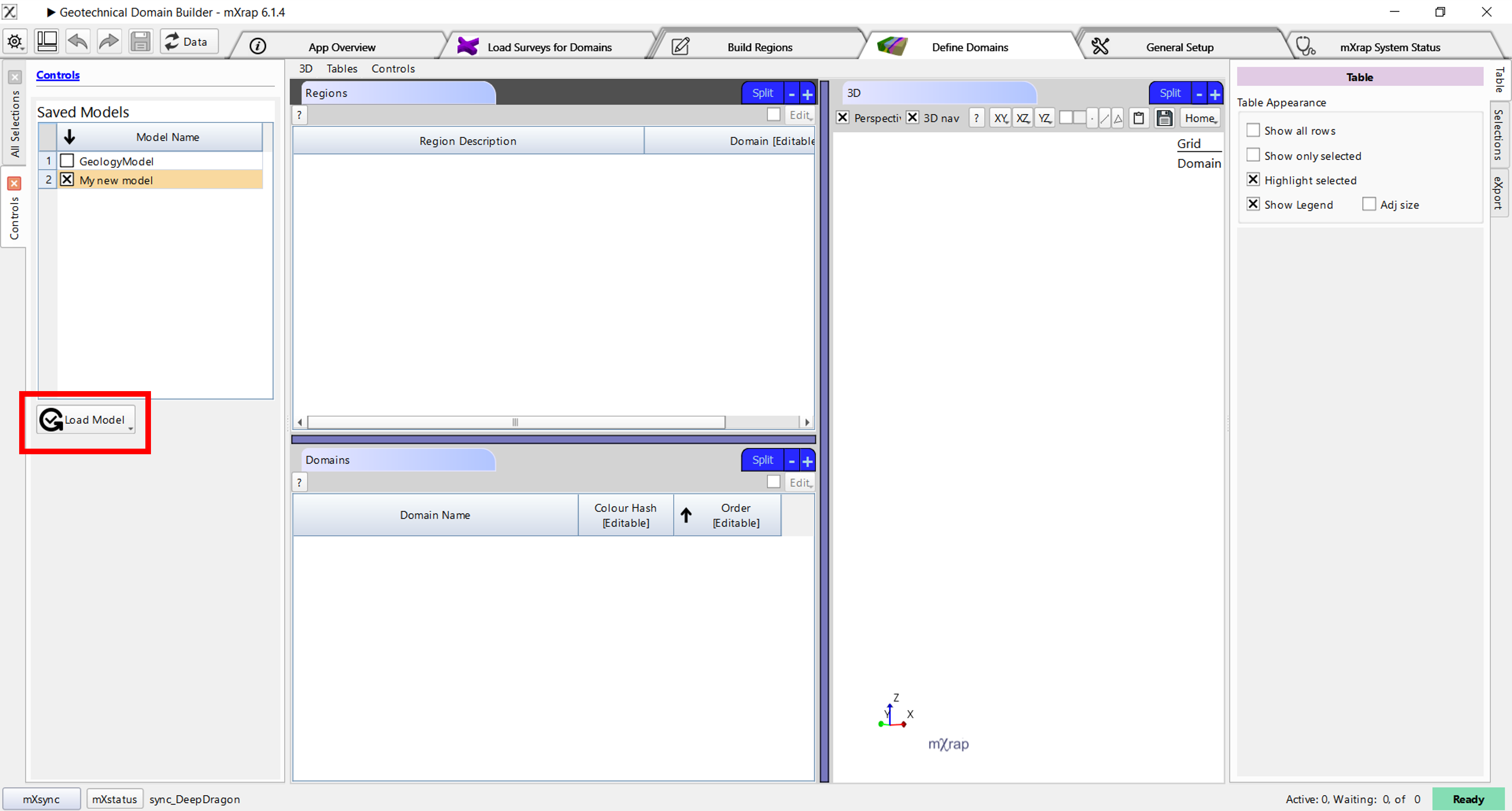
In the Regions table you will see a list of all the regions defined in your model.
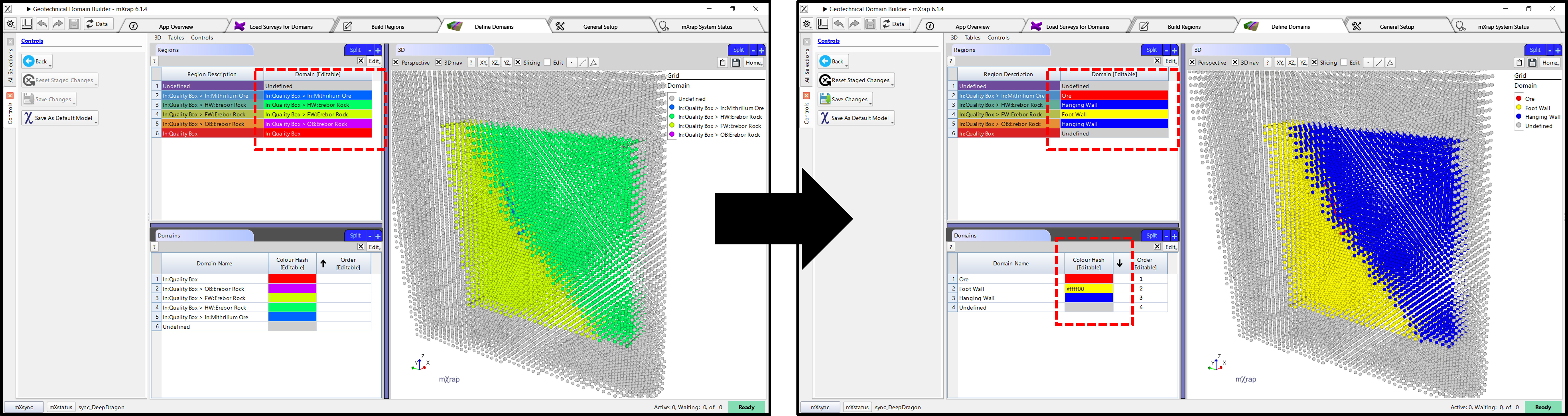
- Edit the Domain column to assign domain names to the regions that you have defined. The list of domains in the bottom will automatically update based on all the domain names you have used in the top.
info
You can assign the same domain name multiple times to combine multiple spatial regions into one logical grouping.
tip
Default colours will be assigned for the domains, but you can override this by entering a hash code into the column (you can find hash codes for colours online). You can also specify the order that domains should appear in, e.g. in the marker legend shown in the 3D view.
- When you are done, click Save Changes.
Best practice
If you click Save As Default Model, this will be the default model used when you open any other apps which use geotechnical domains.