Event tags and comments
Overview
mXrap provides two distinct methods for associating text with seismic events:
Event Tags
- Purpose: Categorise events into groups for filtering
- Examples:
suspected blast,damage occurred,suspect location,outlier,likely crusher noise - Functionality: Integrated with event filters for quick show/hide operations
- Display: Visible in the main events table (General Analysis)
Event Comments
- Purpose: Store unique, descriptive text for individual events
- Functionality: No impact on event filtering
- Display: Visible in the main events table (General Analysis)
Managing Imported Tag Meanings
Default Tag Behavior
Your seismic monitoring system may import events with predefined tags:
| Tag | Description | Default State |
|---|---|---|
e | Real seismic events | ON |
n | Noise sources | OFF |
b | Blasting events | OFF |
Customising Tag Meanings
Navigation: General Setup Windows > Event Tag Editor > Imported Tag Meaning
Available Tag Types
GOOD Tags
- Automatically pass through Quality Filter
precaución
Double check before manually setting any imported tag meanings to GOOD as these events will bypass all quality control checks.
OUTLIER Tags
- Filtered out by default
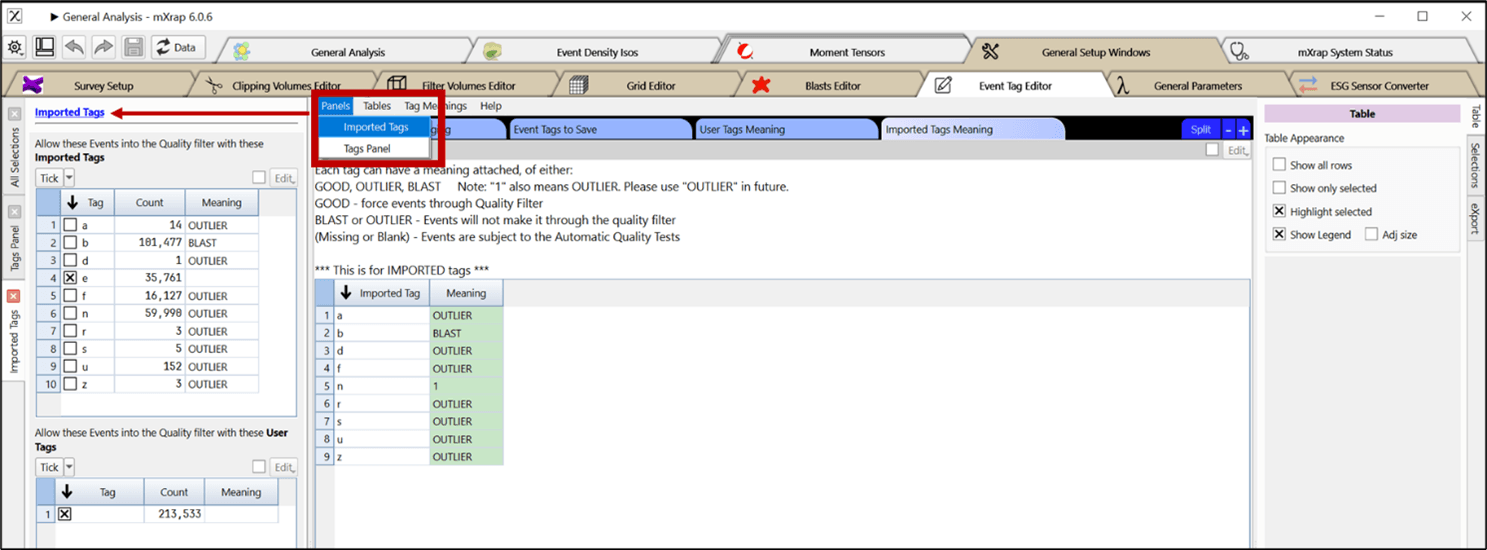
- Manual activation required via 'Imported Tags' panel
- Excluded from standard analysis
BLAST Tags
- Filtered out by default (like OUTLIER)
- Special feature: Included in 'Blasts From Tags' window (Short Term Response Analysis app)
Configuration
-
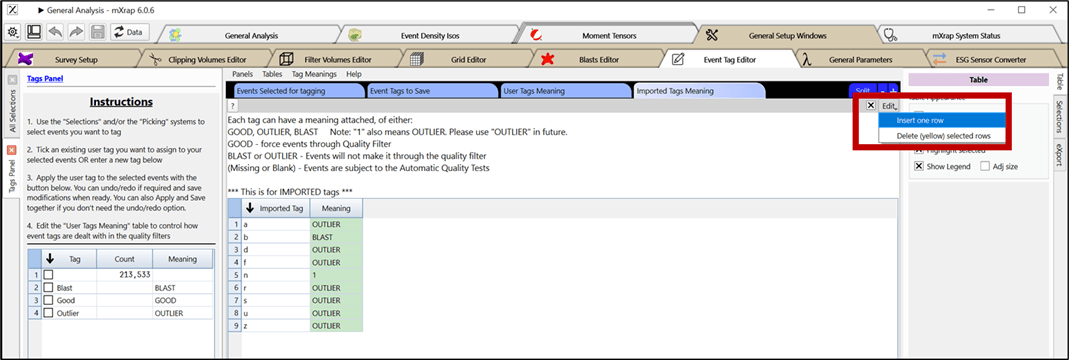
Add Custom Tags
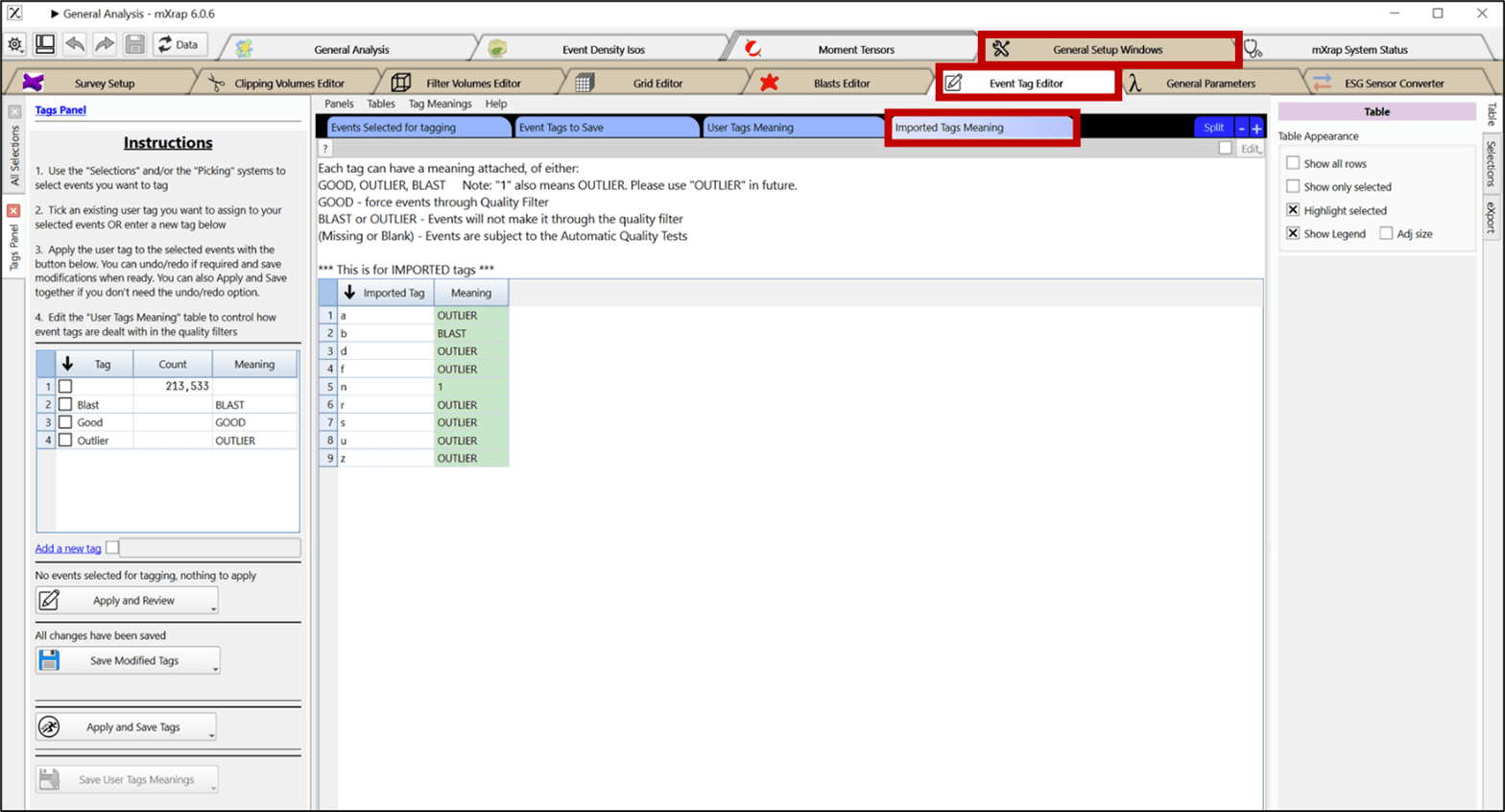
- Create new table rows for each imported tag
- Set meaning to 'OUTLIER' to exclude from default quality filter
-
Verify Existing Tags
- Open 'Imported Tags' panel to view database tags
- Toggle individual tags on/off for temporary filtering
-
Confirm Changes
- Restart mXrap
- Check events tag filter to verify on/off states
Training Resources
Event tags can be used to group events into categories. Example tags might be 'suspected blast', 'damage occurred', 'suspect location', 'outlier' or 'likely crusher noise'. These tags can be used in event filters to quickly show or hide particular categories.
There are many reasons you might want to store a short snippet of text associated with an event. There are two ways to do this in mXrap; event tags and event comments. Event comments can be unique and about anything, they have no effect on filters.